
Grammarly is a popular tool that is known for its accuracy in checking spelling and grammar issues in a text. The tool features functions such as readability, spell check, writing style, editing reports, and grammar check among others.
It is commonly used by content marketers, authors, bloggers, copywriters, students, business owners, and freelance writers.
Is Grammarly Premium Free For Students?
There is no free version of Grammarly premium for students. If students want to enjoy the grammar-checking capabilities of Grammarly, they have to go for the free version. The free version can be used on their website or through a browser addon. However, just like other freemium types of products, this will come with limitations to the suggestions you can get.
If you are a student, settle for the free version or part with $30 per month to unlock the potential of the premium Grammarly.
It is no secret that the premium version is good for students. With this subscription, students cannot only save time but also improve their grades in essays and research papers.
This is why universities such as Iowa State University have partnered with Grammarly to offer students free premium access.
This helps them to check for plagiarism, establish good writing styles, and have proper use of vocabulary among other reasons.
How to use Grammarly for free
It is easy to have your Grammarly account and start enjoying the free version. To start, you have to create an account using your Facebook or Google account.
You can also use your email address to go through the same process. After signing up, you can start enjoying the free version in the following ways:
1. Grammarly desktop
This is a powerful and fast way of using this tool for free. You have to download a desktop app for either Mac or Windows.
All these will need good internet access to function properly. You only have to drag your file or the word document and place it directly on the Grammarly app.
It will start checking for spelling and grammar issues automatically. In addition, the apps also give automatic updates in the background and support the formatting of texts.
2. Grammarly Web app
You can enjoy free use of this grammar checker using app.grammarly.com. After typing your piece of writing in Word or any other form, copy and paste it directly into the web app.
It will start scanning your text and give all grammar suggestions for you to fix. The web app underlines the major areas that need correction and gives you the ideal alternatives that will make your piece read better.
You can then copy and paste it back to the writing application you were using.
3. Browser extensions
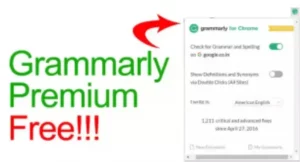
Grammarly plugins are well-matched with an array of browsers such as Chrome, Safari, Microsoft Edge, and Firefox.
You only have to install the plugin and log into your account. After this, Grammarly will start scanning all the content you write in your web browser.
This is very convenient if you want to grammar-check emails, social media texts, and other materials that you write online.
4. Microsoft Office plugin
Through the Microsoft Office plugin, you can effortlessly enjoy the free version of Grammarly.
After installing it, it will be easy to check your piece of writing and fix any grammar issues. This is possible inside Microsoft Word and Microsoft Outlook.
5. Grammarly keyboard
Grammarly has evolved to become a better tool for students and writers. The inclusion of a smartphone keyboard app for both Android and iOS devices is a step in the right direction. You only need to activate it to start enjoying free use of this grammar-checking tool.
The keyboard app can check your content when you are composing an email or a simple text message. This is a good option if you want to take care of your grammar mistakes as you type. It also has provisions for smart predictions to make your typing even faster.
Comparing Grammarly Premium Vs Grammarly Free
If you want to use Grammarly, you have the free version which costs nothing, and the premium version which requires payments for its subscriptions. Ideally, you will still enjoy the use of this tool if you opt for any of these versions.
The free Grammarly variety has amazing tools that can fix your punctuation, grammar, and spelling mistakes. Nonetheless, the premium version solves other remarkable potentials of this tool making grammar checks more accurate and elaborate.
It not only gives advanced reports but also has other options such as a plagiarism checker. In the recent past, Grammarly has become a household name in the writing industry.
It has shaped its reputation as a reliable grammar checking tool that is easily accessible. Its existence of a free and premium version is one of the contributing factors to this rising popularity.
Presently, millions of writers are beneficiaries of both free and paid variants of this grammar tool. Whether you use the free or premium version, the plugins and suit of apps still work on all major browsers (Firefox, Safari, and Chrome), Mac, Microsoft Office, and Windows.
However, new writers, students, small businesses, and first-time users operate on a minimal budget. They are usually unable to make the right decision whether to go for free or premium versions.
Realistically, you can accomplish more and achieve better results if you choose Grammarly premium. The free version is just a basic spelling and grammar checker.
Even though the premium version is somewhat exorbitant, it offers you over 400 additional checks and detailed reports which will no doubt make your paper a better piece to read.
Free Grammarly
Going into detail, users of the Grammarly free version will enjoy the following features:
- An automatic system of checking spellings
- A detection report for tone
- A reliable grammar checker powered by AI
- Accurate punctuation checks
- Ability to switch between Australian, Canadian, British and American English.
- The free version works with GoogleDocs, Ms. Word, and Microsoft in general.
- Support for web browsers such as Microsoft Edge, Chrome, and Safari
- Can perfectly work with Android or iOS through the application’s keyboard.
Premium Grammarly
Premium Grammarly is amazing and better. It offers everything you get on the free version plus a host of other additional features that include the following:
- More than 400 additional grammar checks and accurate reports
- A report for the writing style you used
- More elaboration on citations and reference options
- Readability reports
- An AI-powered writing assistant
- Plagiarism scanning that compares your work with millions of existing content on the web
- Accurate collaboration features
Without a doubt, these premium features surpass the ones you can enjoy on the free version. Unfortunately, you have to pay for subscriptions before you unlock these potentials. For $30, you can start enjoying the monthly subscription of Grammarly premium.
Users who choose the quarterly subscription will have to part with $60 and $144 for a yearly subscription. That said, the Grammarly premium version is worth it and worth your money if you are a professional writer or a student who wants nothing but the best grammar for their paper.
The verdict
It all depends on the reason why you are using Grammarly. People use this proofreading tool for many reasons. While the free version has what it takes to check basic grammar problems, it will not give you access to other privileges. It is for basic grammar and spelling issues.
It is appropriate for users who want to proofread emails and update their grammar issues. Far from that, the free version is also good if you have other subscriptions of tools that can check your tonal problems on your text.
Grammarly premium version is the showstopper. If you are an SEO content writer, this version is right for you. It is also good for technical articles and other important academic publications.
If you are a professional writer who publishes content online to earn a living, go for the premium version.